Video script · ChatGPT
Connect Stets to ChatGPT
5 shots, about 32 seconds plus a title and an end card. Record the plain version from the video mode, the one with Stet from the video mode with Stet.
| # | Shot | Title | Voice-over (spoken) | Caption | Stet says | Sec |
|---|---|---|---|---|---|---|
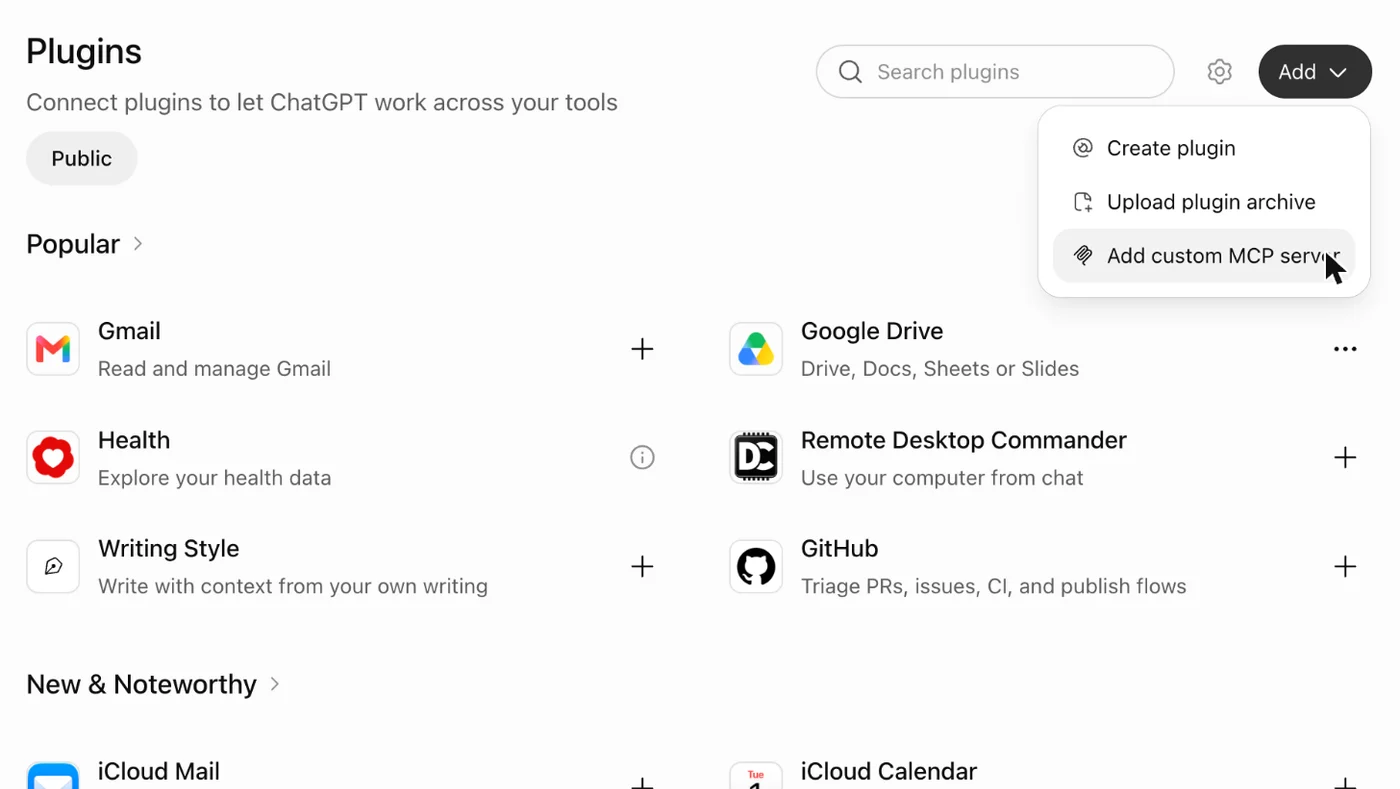
| 1 | chatgpt/01-add-menu.webp | Open Plugins and choose Add | In ChatGPT, open Plugins. Choose Add, then Add custom MCP server. | In ChatGPT, open Plugins. Choose Add, then Add custom MCP server. | Plugins, then Add. The last one in the menu is ours. | 6 |
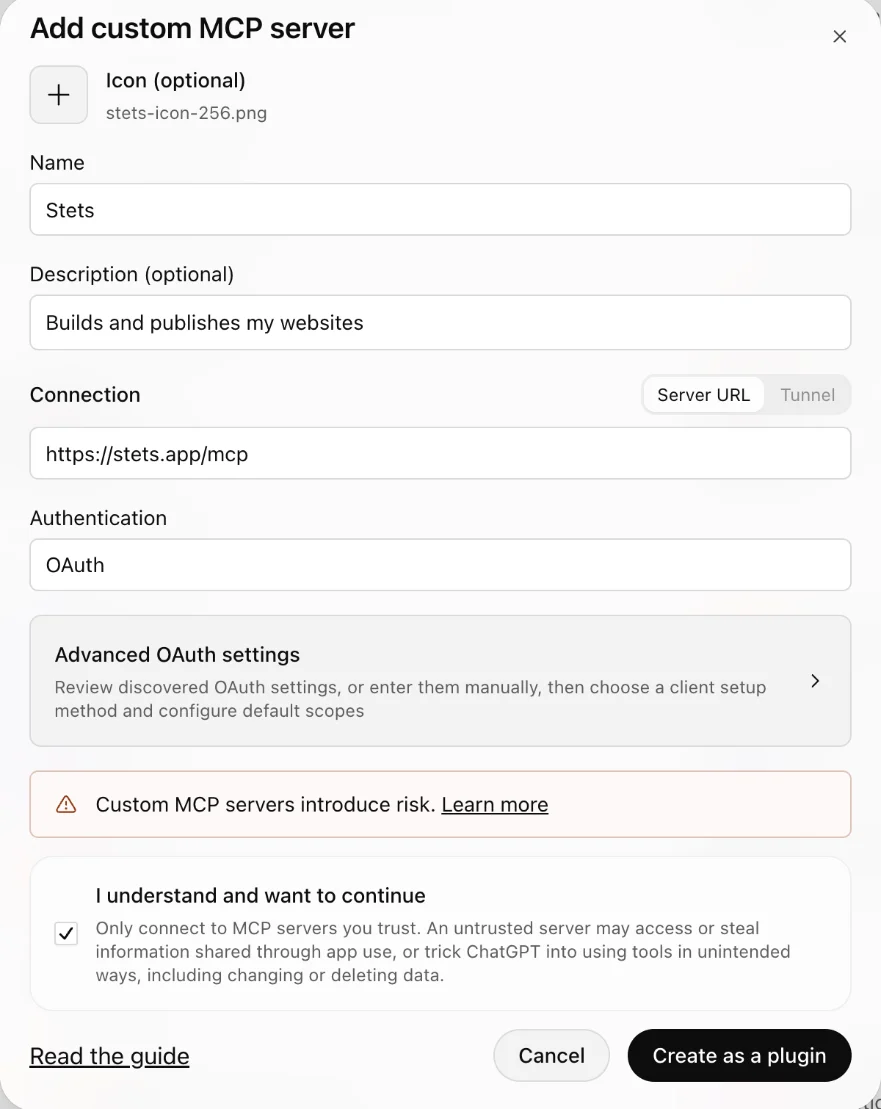
| 2 | chatgpt/02-form.webp | Fill in the form | Name it Stets and paste stets dot app slash m c p. Keep OAuth, tick the box, and choose Create as a plugin. | Name it Stets and paste https://stets.app/mcp. Keep OAuth, tick the box, and choose Create as a plugin. | Name, address, tick the box. OAuth is already right. Create! | 8 |
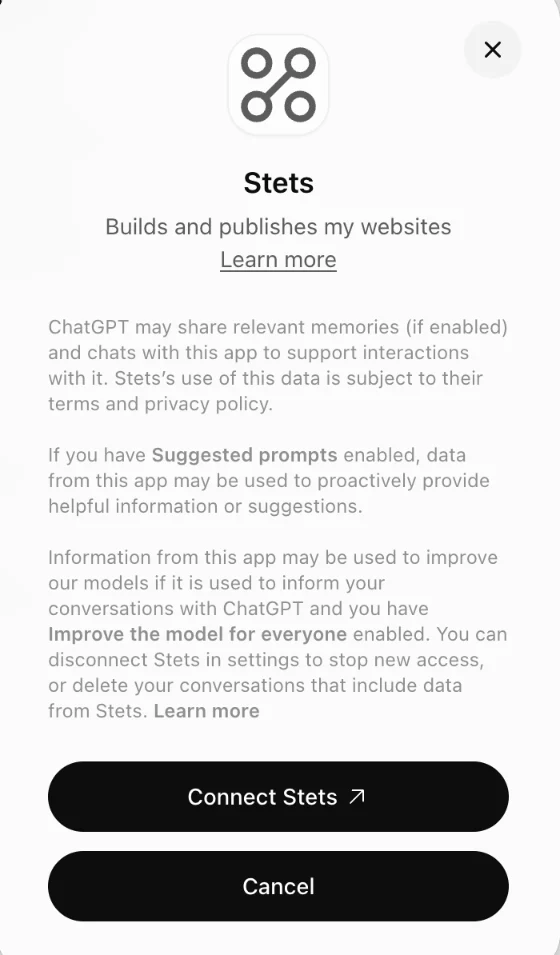
| 3 | chatgpt/03-connect.webp | Connect Stets | ChatGPT shows what it shares with plugins. Choose Connect Stets. | ChatGPT shows what it shares with plugins. Choose Connect Stets. | Read it if you like. Then Connect Stets. | 6 |
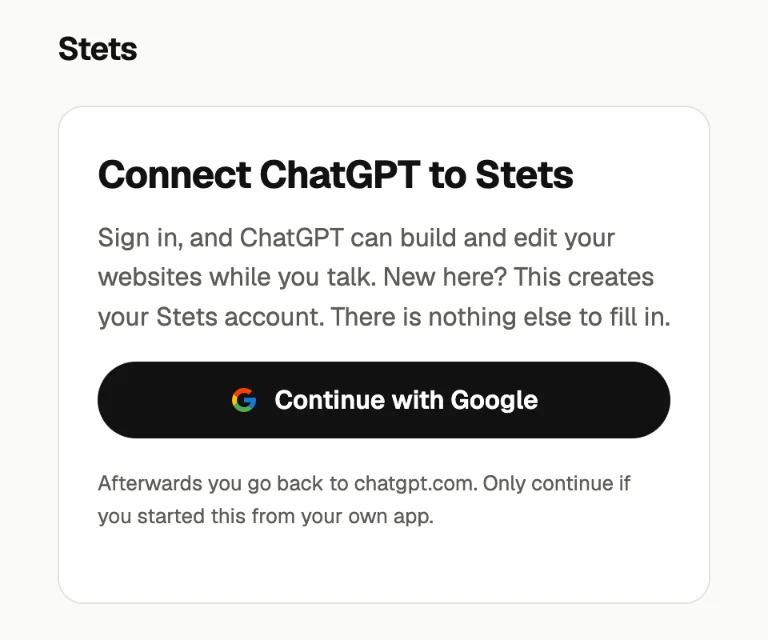
| 4 | stets/connect-chatgpt.webp | Sign in with Google | A Stets page opens. Continue with Google, and pick your account. | A Stets page opens. Continue with Google, and pick your account. | Same door, different app. One click with Google. | 6 |
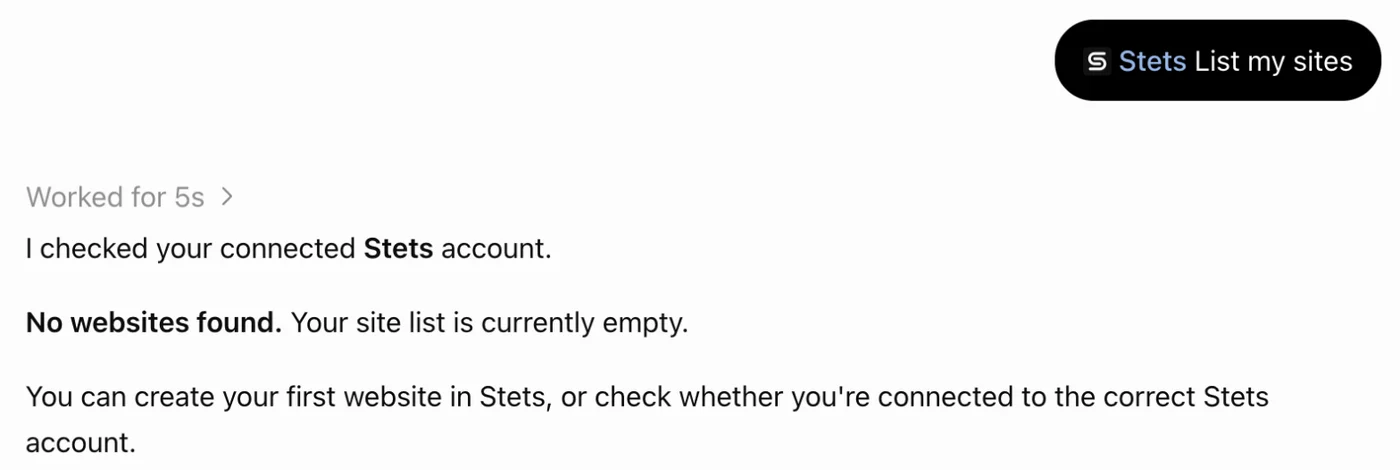
| 5 | chatgpt/05-list-sites.webp | Try it in a chat | Back on the Stets plugin page, choose Try in chat, and say: list my sites. A new account has no sites yet. | Try in chat, then “List my sites”. A new account has none yet. | No sites yet. Plenty of room to build. | 6 |